AI Timesheet Assistant
From accurate to actually incredible!
Before:
- Timely’s first-gen AI looked at individual memories and needed you to manually match them to projects. It was detailed, but not always flexible.
After:

- Looks at grouped time spans, just like your timeline
- Offers three AI modes: Exact, Efficient, or Concise—you pick what works best
- Suggests complete time blocks, not just individual fragments
- Adapts to your timeline customizations and preferences
- Fills in gaps (up to 30 minutes) between related work
- Expands very short time blocks to account for small breaks
- Trains a fresh AI model after any update (like logging time or changing settings), usually within 10–15 minutes
- Can refresh suggestions instantly when you switch days, update settings, or when a new model is ready
- Ignores tools/websites you’ve marked as irrelevant
- Basically, it’s more intuitive, more personal, and way less work for you. Let it do the heavy lifting so you can focus on what matters.
Help center article →
Best practice guide | How to train your AI →
Memory & Timeline Customization
From the basics to complete control
Before:
- You could ignore individual memories, but it would not apply to future memories from the same tool.
- Short interruptions showed up as noise
- Everything lived in one column
- No way to group, split, or merge similar stuff
After:
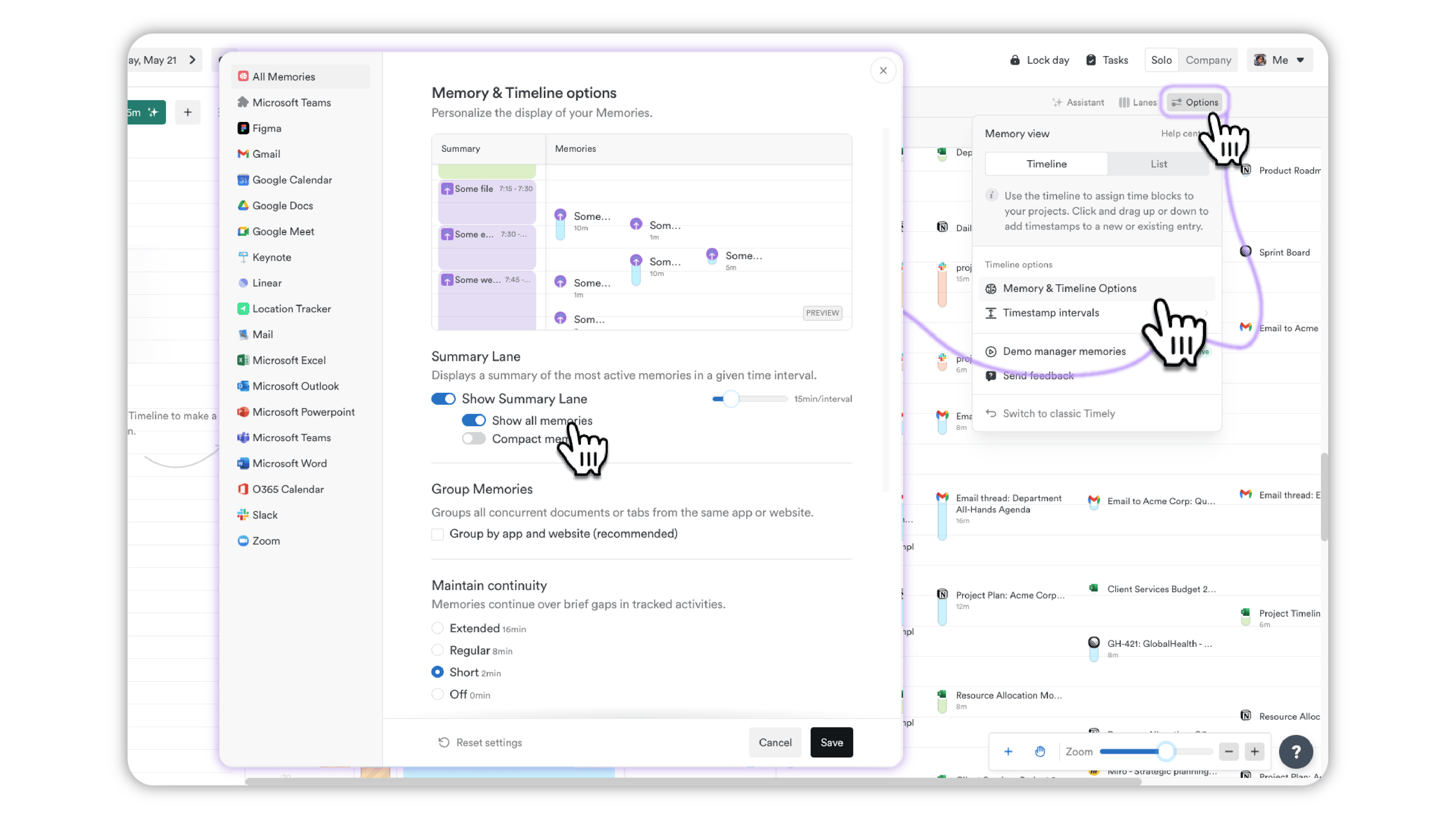
- Group or ungroup activities depending on how you like to work
- Use continuity settings to filter out short distractions
- Adjust noise cancellation to hide tiny, unhelpful entries
- Choose how memory titles show up (or don’t)
- Set rules for specific apps
- Highlight key apps into their own columns
- The new Summary Lane shows the most prominent memory in each time block to keep things tidy. Right now, that means the one you spent the most time on—but soon, starred memories will take priority. Expand any block to see more.
Timesheet Notes
From basic to brilliant!
Before:
- Notes were created by combining together Memory titles. Informative, sure, but with a low signal-to-noise ratio.
After:
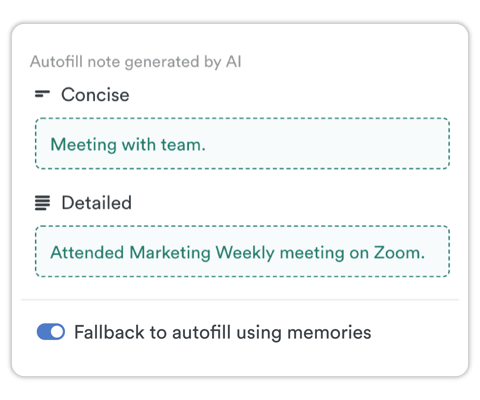
- Now, notes are way more helpful. Just select a time range and Timely’s AI creates clean, well-structured notes that actually summarize what you did. It’s fast, clear, and actually useful when you look back at your day.
- You can still click individual memories and the note from the AI will just use those selected Memories to generate a note.
Timestamp Intervals
Same snap, just Moved
Before:
- Snapping time entries to neat intervals made logging easier, and you could tweak the setting from the gear or “...” menu while adding time.
After:
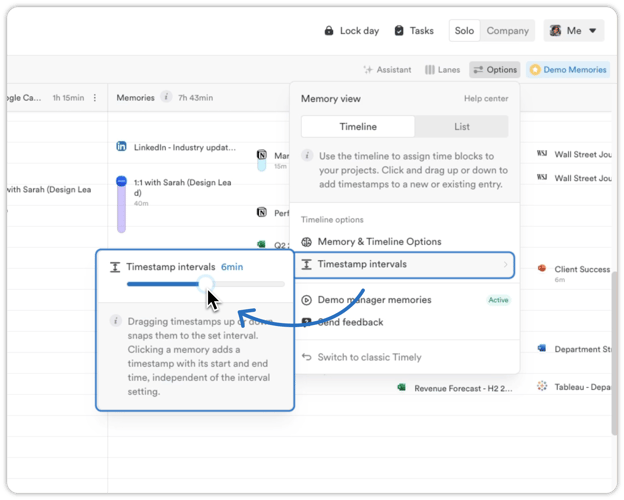
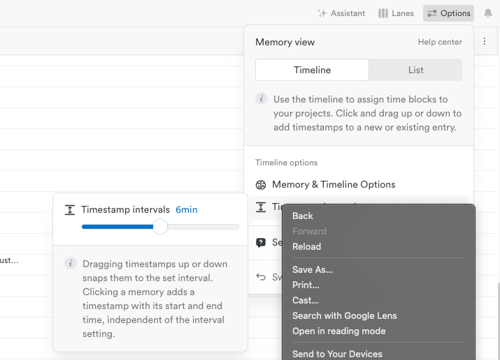
- That hasn’t changed—your snap settings are still doing their thing. The only difference? You’ll now find them in the top-right options menu, under Timestamp intervals.
Memory Notifications
A friendly heads-up
New!
- We’ve added a new alert that lets you know if your Memory tracker hasn’t uploaded anything in a few days. It’s a gentle nudge so you can fix the issue before any time goes missing.
List View
Clearer, faster, and way more organized
Before:
- List View gave you a clean way to log your memories and stay on top of things.
After:
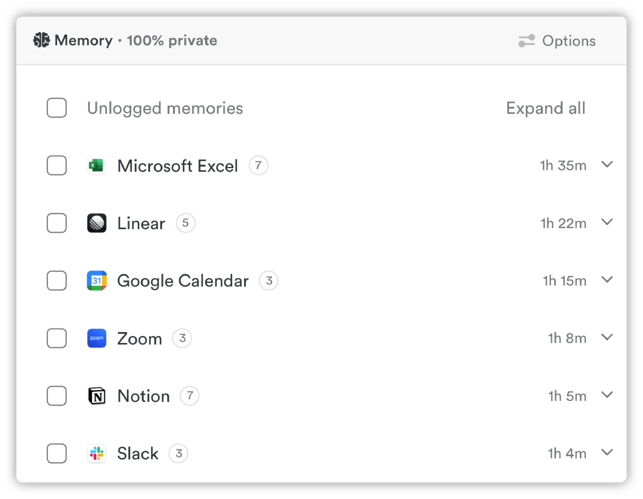
Now, it’s had a proper upgrade:
- Memories are grouped by app and file name, with sub-memories tucked underneath
- Sorted by duration—longest to shortest—so you can focus on the big stuff
- Faster loading and Fresh UI with better spacing, icons, and subtle scroll cues
- A dedicated “Logged” section makes it easy to spot what’s done
- Timestamps update dynamically and just work better
And you’ll see richer links between memories and time entries for more context